Zigbee
Manages the Zigbee radio so the device can join your mesh and report energy data with far less power than Wi-Fi.
For the joining procedure, see Zigbee setup.
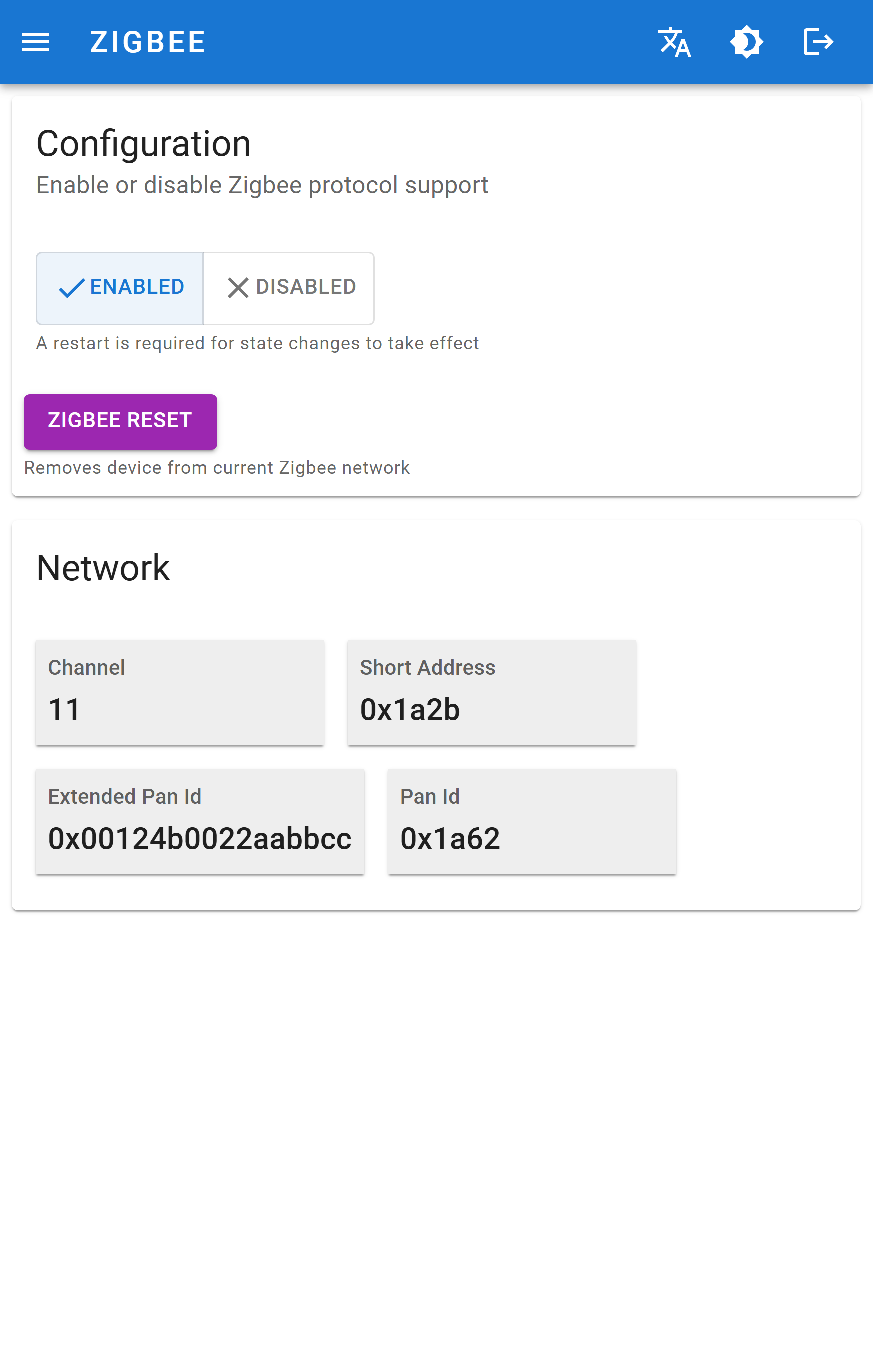
Configuration
| Control | Meaning |
|---|---|
| ENABLED / DISABLED | Turns the Zigbee radio on or off. It is disabled by default. |
| Saves the choice. A restart is required for state changes to take effect. | |
| Removes the device from its current Zigbee network and re-enters pairing mode. |
WARNING
Changing the enabled state restarts the device, which breaks the current web session for a few seconds.
Network
Filled in once the device has joined a network. Addresses are shown in hexadecimal.
| Field | Meaning | Example |
|---|---|---|
| Channel | Radio channel of the network, 11–26 | 11 |
| Short Address | 16-bit network address assigned by the coordinator | 0x7966 |
| Extended Pan Id | 64-bit unique identifier of the Zigbee network | 0x0f887f79de0fc78c |
| Pan Id | 16-bit Personal Area Network identifier | 0xfe67 |
TIP
Empty fields mean the device has not joined. Check that Zigbee is enabled, that permit-join is open on the coordinator, and that the device is in range of the coordinator or a mains-powered router.
What the device exposes
Two endpoints, all standard ZCL clusters:
| Endpoint | Contents |
|---|---|
| 1 | Basic, Power Configuration, Identify, On/Off (toggles Wi-Fi), Temperature Measurement, OTA Upgrade |
| 2 | On/Off (triggers a meter reading), Simple Metering, Electrical Measurement |
Full attribute list: Integrations → Zigbee.