Get started
This guide takes a brand-new ZiggyMeter from the box to a first meter reading. Work through the steps in order — each one can be checked before you move on.
Out of the box ZiggyMeter starts its own Wi-Fi hotspot, so you need nothing except a phone or a laptop to configure it. No app, no account, no cloud service.
INFO
Is your meter compatible? ZiggyMeter reads meters with an IEC 62056-21 optical interface. If you have not confirmed this yet, check Before you buy first — an incompatible meter cannot be made to work by configuration.
What you need
- The ZiggyMeter device
- The label supplied with the device — it carries the Wi-Fi hotspot password and the administrator password, and they are unique to your device
- A USB-C power supply (5 W is enough) and a cable, or two AAA batteries
- A phone or laptop with a browser (Chrome, Firefox, Edge or Safari)
- Your home Wi-Fi network name and password — 2.4 GHz only, 5 GHz and 6 GHz networks are not supported
Know your device
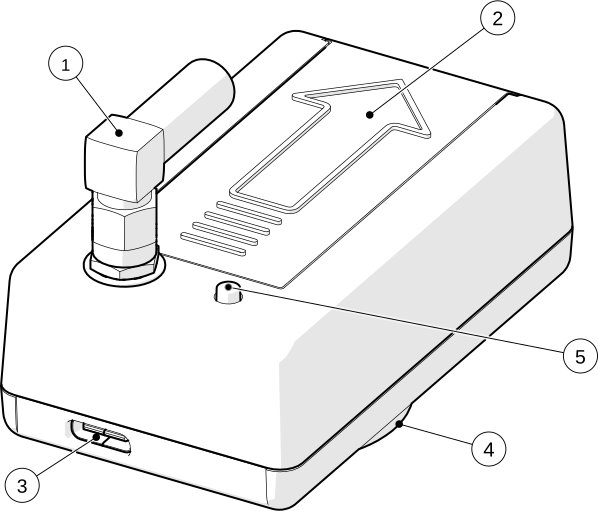
- 1 Antenna
- 2 Battery compartment
- 3 USB-C
- 4 Optical interface with magnet
- 5 Button
Three LEDs report what the device is doing: red for Wi-Fi, blue for Zigbee and green for the meter. During setup you only need to recognise a few patterns; the complete table is on Button and LEDs.
Step 1 — Power it up
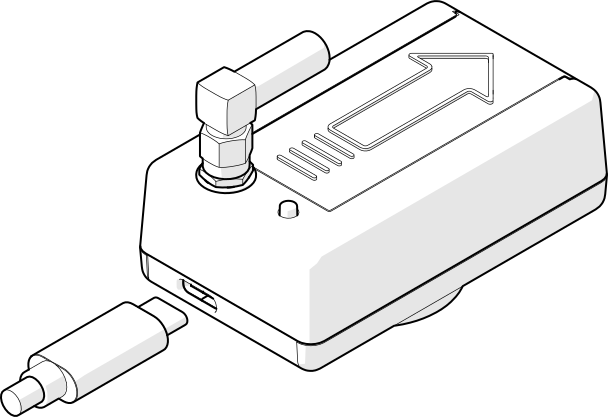
For the initial configuration, power ZiggyMeter from USB-C. Wi-Fi draws considerably more current than the device uses in normal operation, and mains power removes any time pressure while you work through the settings.
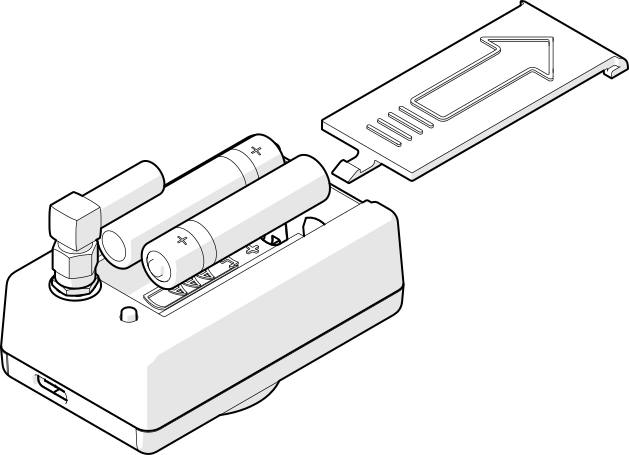
Batteries can be fitted now or later. Insert two AAA cells, matching the ⊕ and ⊖ markings in the compartment — the device is protected against reverse polarity.
All three LEDs blink once at start-up:
TIP
Watching the log is optional, but it helps. The USB-C port is also a serial console. If you open it in a terminal program at 115200 8N1, ZiggyMeter tells you exactly what it is doing at every step of this guide. You do not need it to complete the setup, but it turns most problems into a one-line answer. See USB serial console.
Step 2 — Wait for the Wi-Fi hotspot
A factory-fresh device switches Wi-Fi on by itself and starts in Access Point mode. You do not have to press anything.
The red LED confirms it — a long pulse repeating about once a second:
The hotspot is called ZiggyMeter-XXXX, where XXXX is derived from the device's MAC address, so the name is unique to your device.
INFO
Nothing happens? If the red LED stays dark, the device was configured before. Press and hold the button for 3 seconds to activate Wi-Fi, or perform a factory reset to return it to the state described here.
Step 3 — Connect to the hotspot
On your phone or laptop, open the Wi-Fi settings and join ZiggyMeter-XXXX. The password is printed on the label supplied with the device.
Your device will report that this network has no internet access. That is expected — ZiggyMeter is not a router and never asks to be one.
TIP
Many phones and laptops open the setup page by themselves once you join, the same way a hotel or airport Wi-Fi shows its sign-in page. If yours does, you can skip straight to Step 5.
WARNING
A wired laptop will not open the page automatically. If your computer also has an Ethernet cable plugged in, the automatic sign-in page will not appear — the operating system detects the hotspot on the Wi-Fi adapter but opens the page through the connection that has real internet, and lands somewhere else entirely. Either unplug the cable during setup, or simply type the address yourself as described in the next step, which always works.
Step 4 — Open the web interface
In your browser, go to:
http://192.168.4.1In Access Point mode ZiggyMeter always uses this address.
WARNING
Use http://, not https://. Port 443 is deliberately closed while the hotspot is running, so there is no certificate warning to click through. Your password is still protected: it is never sent over the network — the browser and the device prove it to each other with a challenge-response exchange instead. See REST API.
If your browser insists on HTTPS, type the address with the http:// prefix in full.
Step 5 — Log in
You should now see the login screen.
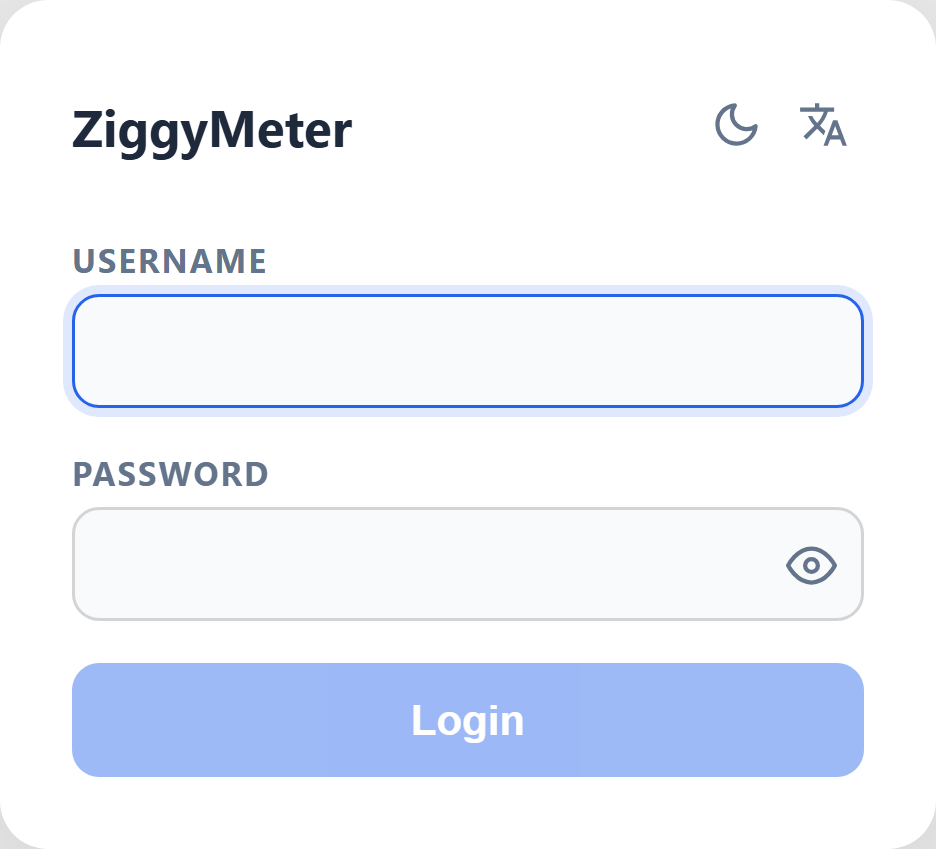
- Username:
admin - Password: printed on the label supplied with the device
The two passwords on the label are different — one joins the hotspot, the other logs you in.
Select Login. The Dashboard opens.
Step 6 — Change the administrator password
Do this before anything else. Open System → Change password, enter the password from the label as the current one, then choose your own.
See Web interface → System for the full page.
Step 7 — Join your home Wi-Fi
The hotspot is fine for setup, but on your own network the device gets a permanent address, stays reachable, and can talk to Home Assistant and the API.
- Open WiFi in the menu.
- Under New connection, pick your network from the list of those found nearby.
- Enter the Wi-Fi password and select Connect.
ZiggyMeter now shuts the hotspot down and joins your network, which means your browser loses the connection to it — this is normal. Reconnect your phone or laptop to your usual Wi-Fi and open the device again at https://ZiggyMeter-XXXX or at the address your router assigned to it (visible in the router's client list).
INFO
The certificate warning appears here, not earlier. On your own network the device serves the interface over HTTPS, using a certificate it generated itself. Your browser will warn that the connection is not private the first time. Choose Advanced and continue — see Security for why this is safe on a local network.
If there is no Wi-Fi at the meter, skip this step and keep using the hotspot, or use Zigbee instead.
Step 8 — Fit it to the meter and read
Snap ZiggyMeter onto the metal ring around the meter's optical port — the internal magnet holds it. Mount it vertically, with the arrow on the case pointing up.
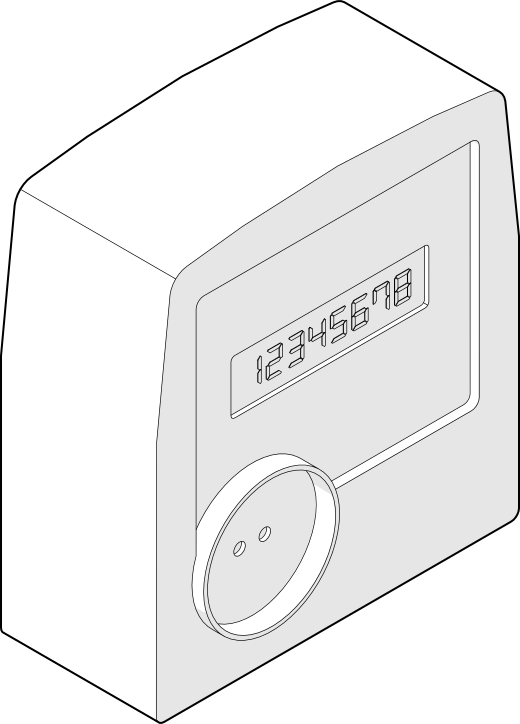
Then trigger a reading with a single click of the button, or from Meter → Readings in the web interface. Watch the green LED:
| Green LED | Visual | Meaning |
|---|---|---|
| breathing | Talking to the meter | |
| continuous | Reading in progress — this is what you want | |
| 3 quick blinks | No answer from the meter |
If the meter does not answer, check the alignment and that both optical windows are clean, then read Mounting on the meter and Troubleshooting. A serial console (Step 1) will tell you whether the device is failing to identify the meter or failing to see it at all.
Once values appear on the Dashboard, the device is working.