
Installation
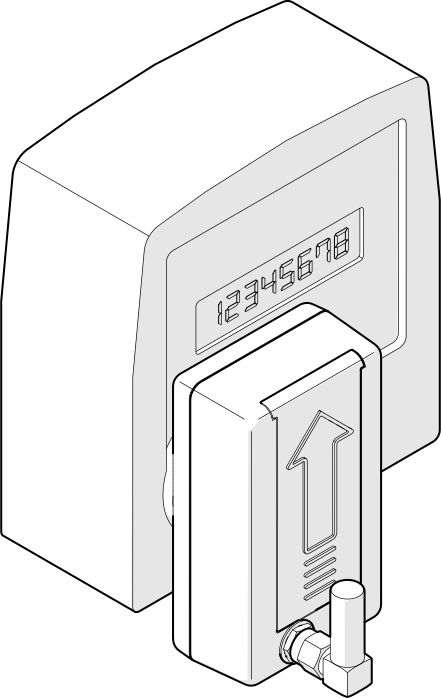
Mounting orientation
ZiggyMeter must be installed vertically.
- Magnetic Attachment: ZiggyMeter features an internal magnet that allows it to securely snap onto the metal ring of the meter's optical interface. No screws or tape are required.
- Orientation: Make sure the arrow on the enclosure points upwards to ensure correct sensor alignment.
TIP
Make sure both the meter's optical interface and the ZiggyMeter interface are clean and free of dust.
External Antenna
If you experience weak connectivity (Zigbee or Wi-Fi), consider using an external antenna � especially if the meter is installed inside a metal cabinet or behind thick walls.
INFO
Use a 2.4?GHz antenna (see Specification ? Antenna). Zigbee and Wi-Fi operate at 2.4?GHz.
Recommendations:
- Place the antenna outside the cabinet, as high as practical, with clear line-of-sight to your access point or Zigbee coordinator.
- Keep the coax lead short and avoid sharp bends; long cables add loss and reduce signal quality.
- Avoid mounting near large metal surfaces or sources of interference (switch-mode PSUs, electric motors).
- After installation, verify signal strength: check Zigbee link quality (LQI/RSSI) and Wi-Fi RSSI to confirm improvement.