Home Assistant
Configures a direct connection between ZiggyMeter and a Home Assistant instance over Wi-Fi. The device pushes sensor updates to the Home Assistant REST API after each readout, and Home Assistant creates the entities automatically.
INFO
This is the Wi-Fi integration. It does not work over Zigbee — for that, pair the device with your coordinator instead and see Home Assistant via Zigbee.
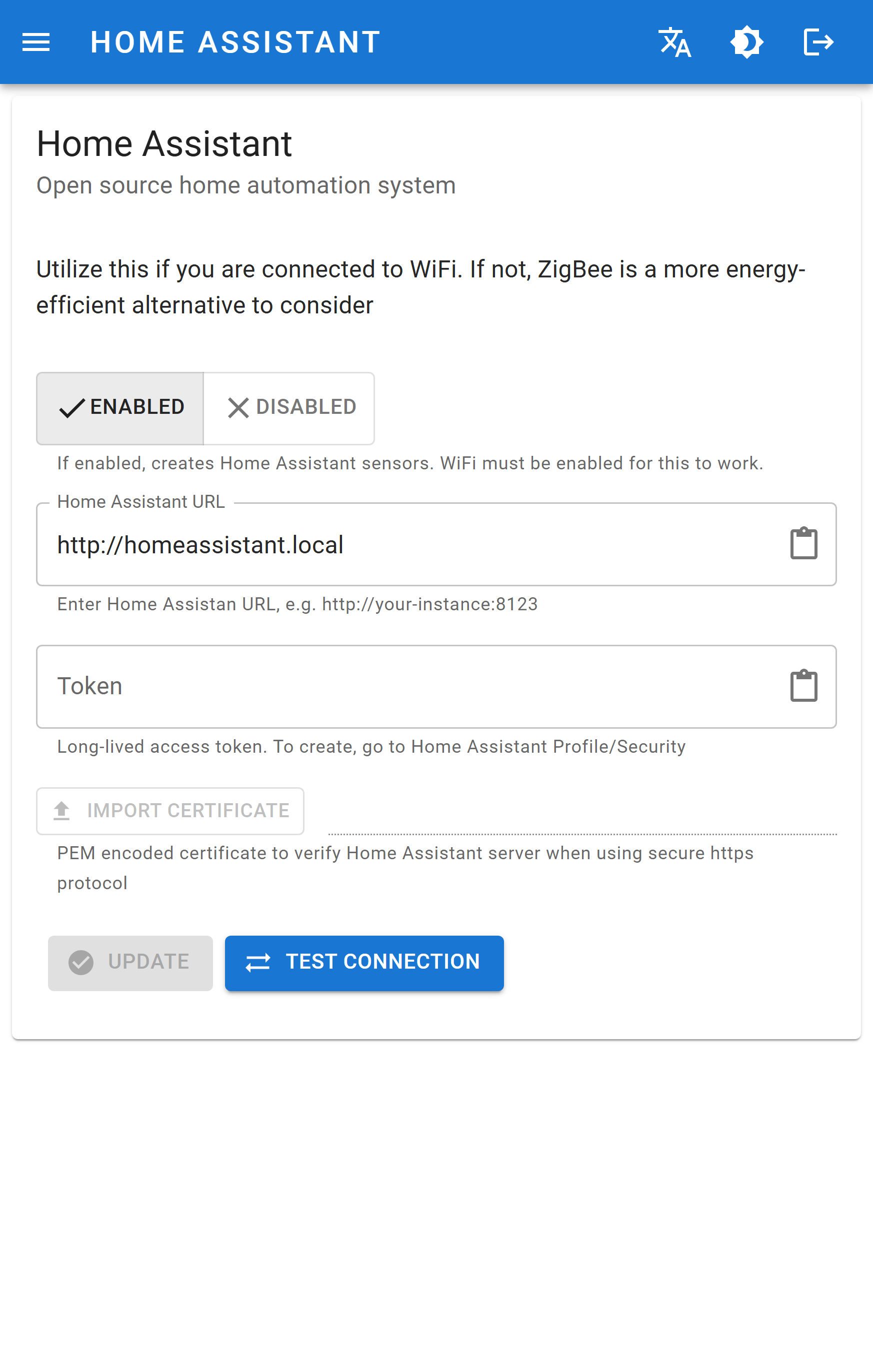
Configuration
| Field | Meaning |
|---|---|
| ENABLED / DISABLED | Turns the direct integration on. Wi-Fi must be enabled for this to work. |
| Home Assistant URL | Full URL of your instance, e.g. http://homeassistant.local or http://192.168.1.10:8123. Both http and https are supported. |
| Token | The long-lived access token, created in your Home Assistant profile under Security. |
Uploads a PEM-encoded certificate used to verify the Home Assistant server. Needed — and only enabled — for https URLs. |
INFO
The Token field always appears empty, even when one is stored: the device never returns it. Leaving it blank when you save keeps the existing token.
DANGER
An https URL without an imported certificate will always fail. Either import the certificate or use the http URL of your local instance.
Actions
| Button | Effect |
|---|---|
| Checks that the device can reach the instance and authenticate with the token. | |
| Saves the configuration. |
Test first, save second. A successful test is the fastest way to separate a network problem from a token problem.
When sensors appear
Entities are created on the first successful publish, not when you save the settings. Trigger a meter reading, then look under Settings → Devices & services → Entities in Home Assistant.
Step-by-step guide, including how to create the token: Home Assistant native integration.
API equivalents
/hass and /hass/send